
AI Prompt Generator for Marketers: 25 Prompt Templates That Produce Usable Copy

An AI prompt generator is only as useful as the brief you feed it, and most marketing teams still feed it one line. That gap matters more every quarter: Adobe's 2025 content research, which covered 2,800 respondents across six countries, ranked India first for content demand among the markets surveyed, which means more copy is being produced with AI and more of it is generic. This guide gives you a 5-part prompt structure and 25 ready templates for SEO, Google Business Profile, ads, email and strategy work. If you would rather build these into a shared team workflow, you can speak with the Leadmetrics team about how it is set up.
Key Takeaways
- Generic output usually comes from missing context, not a weak model. Role, context, constraint, format and example fix most of it.
- Each template below shows a bad prompt next to a structured one, so you can see exactly what changed.
- No prompt removes the need for a human check on facts, claims and brand tone before anything is published.
Why do most marketing prompts produce generic copy?
A prompt like "write a blog about digital marketing" gives the model nothing to work with except the most common pattern on the internet. It does not know your audience, your city, your offer, what you have already published or what you are not allowed to say. So it fills the gaps with averages, and averages read like filler.
The second problem is that teams treat each prompt as a one-off. One person gets good output on Monday, nobody saves the prompt, and on Thursday a colleague starts again from scratch. A prompt library, even a simple shared document, fixes this faster than any new tool.
The third problem is missing format instructions. If you do not say "three headlines under 30 characters" or "a 120-word post with one question at the end", the model guesses, and you spend the time you saved on editing. If you want to see where AI writing tools earn their place in a normal week, our post on AI content tools in day-to-day marketing covers that ground.
What is the 5-part prompt structure?
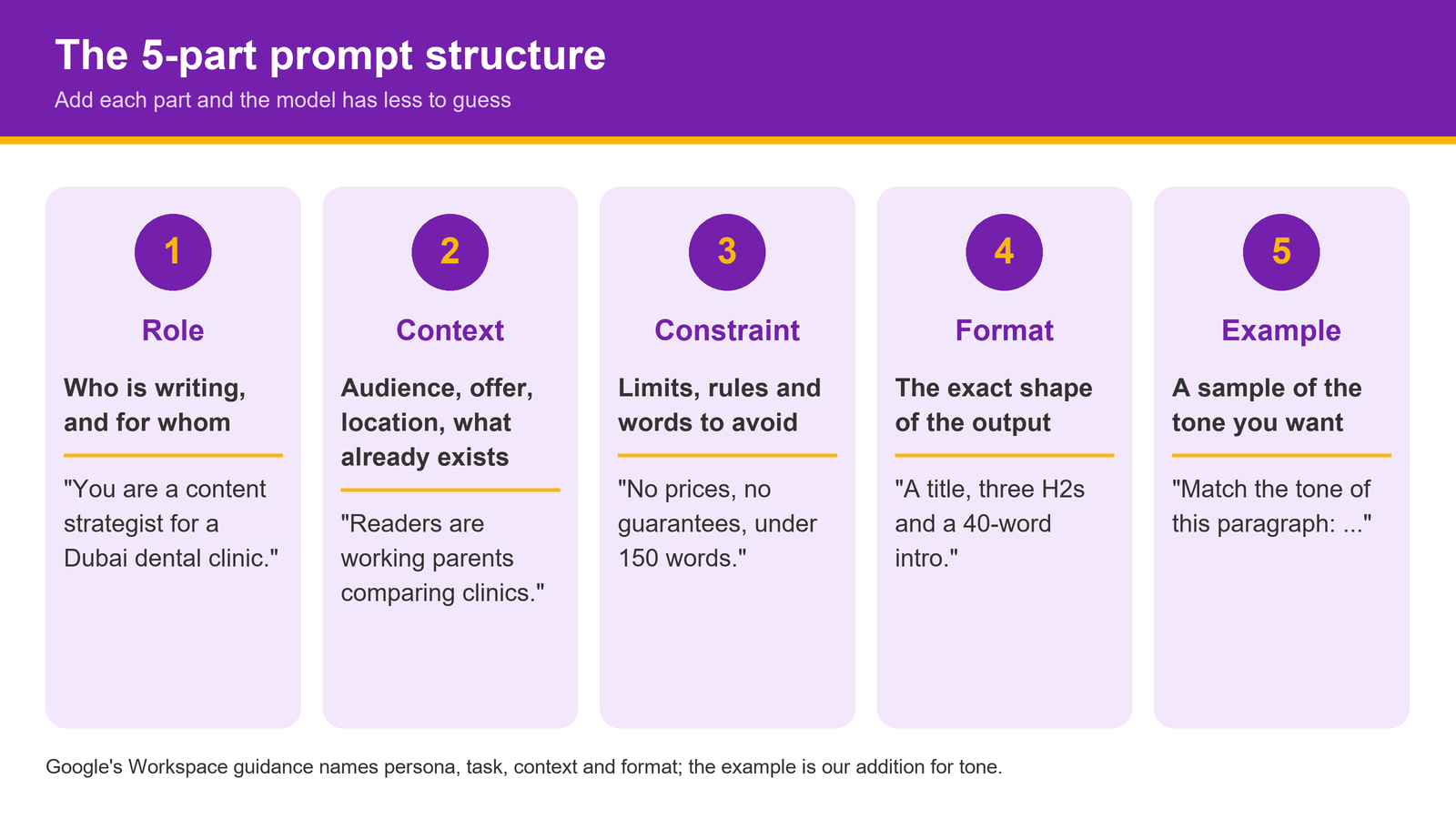
Google's own guidance for Gemini in Workspace says an effective prompt draws on four areas: persona, task, context and format, and that you do not need all four every time. For marketing work we add a fifth, an example, because showing the model one piece of copy you like does more for tone than any adjective. OpenAI's prompt engineering guide makes the same point about giving examples and clear instructions.
| Part | What it tells the model | Example line |
|---|---|---|
| Role | Who is writing and for whom | "You are a content strategist for a Dubai dental clinic." |
| Context | Audience, offer, location, what already exists | "Readers are working parents in Dubai Marina comparing clinics." |
| Constraint | Limits, rules, words to avoid | "No prices, no medical guarantees, under 150 words." |
| Format | The exact shape of the output | "Return a title, three H2s and a 40-word intro." |
| Example | A sample of the tone you want | "Match the tone of this paragraph: ..." |
This is close to how Leadmetrics prompt creation works inside the platform: it structures a prompt around the task, context, instructions, examples and output format, then lets you refine it. The templates below follow the same logic, with square brackets for the parts you fill in.
Templates for SEO and blog content (1 to 5)
1. Blog outline
- Bad: "Write a blog outline about AI marketing."
- Good:
You are an SEO editor for [business] in [city]. Readers are [audience] who search "[keyword]". We already have posts on [existing topics], so do not repeat them. Create a title under 60 characters, 6 H2s phrased as questions, and 2 bullet points under each H2. Plain English, no hype words.
2. Answer-first block
- Bad: "Answer what is local SEO."
- Good:
You are writing for [audience]. Answer "[question]" in 40 to 60 words, starting with a direct one-sentence answer, then one supporting fact from this source: [paste source]. No marketing language.
Short, direct answer blocks like this are what AI assistants tend to lift, which we cover in our guide to getting your business cited in AI answers.
3. Meta title and description
- Bad: "Write meta tags for this page."
- Good:
Here is the page: [paste text]. Primary keyword: [keyword]. Write 3 meta titles under 60 characters and 3 meta descriptions between 140 and 155 characters. Include the keyword once, mention [city], and end each description with a clear next step.
4. FAQ section
- Bad: "Make some FAQs."
- Good:
You are a support lead at [business]. List 6 questions [audience] ask before buying [service], based on these sales call notes: [paste notes]. Answer each in 2 to 3 sentences. Do not invent prices, timelines or guarantees.
5. Refreshing an old post
- Bad: "Improve this blog."
- Good:
Here is a post from [year]: [paste]. Flag every statement that may now be outdated, suggest 2 new H2s that match what [audience] asks today, and rewrite the intro in under 80 words. Return a table: issue, why it matters, suggested fix.
Templates for social media and Google Business Profile (6 to 10)
6. LinkedIn post from a blog
- Bad: "Turn this into a LinkedIn post."
- Good:
You are [name], [role] at [business]. Turn this article into a LinkedIn post of 120 to 160 words: [paste]. Open with one specific observation from the article, give 3 short points, end with a question to [audience]. No hashtags in the body, max 3 at the end.
7. Instagram caption set
- Bad: "Write Instagram captions for our cafe."
- Good:
Write 5 Instagram captions for [business] in [area]. Each under 50 words, one emoji maximum, one line about [this week's item]. Tone: friendly and specific, like this example: [paste caption you liked].
8. GBP update post
- Bad: "Write a Google post."
- Good:
Write a Google Business Profile update for [business] in [locality]. Topic: [service or news]. 80 to 120 words, mention [locality] once, one concrete detail customers care about, and end with a line that fits a "[button type]" button. No phone numbers or prices in the text.
Google lets update and event posts carry an action button with a link, so write the last line to lead into the button you will choose.
9. GBP offer post
- Bad: "Make an offer post."
- Good:
Write a GBP offer post for [offer], valid [dates], at [location]. Short title, description under 100 words, list the terms in one plain sentence. Do not add any discount or condition I have not given you.
10. Monthly content calendar
- Bad: "Give me a social calendar for November."
- Good:
You are a social media manager for [business] serving [audience] in [India/UAE city]. Build a [month] calendar: 3 posts a week on [platforms], mixing education, proof and offers in a 2:1:1 ratio. Include [local dates or festivals]. Return a table: date, platform, post idea, format.
Once the calendar is approved, you can schedule the posts you generate across LinkedIn, Instagram, Facebook and X from one place.
Templates for ads (11 to 15)
11. Google search ad copy
- Bad: "Write Google ads for my clinic."
- Good:
Write a responsive search ad for [service] in [city]. Give 10 headlines of 30 characters or fewer and 4 descriptions of 90 characters or fewer. Use the keyword "[keyword]" in at least 3 headlines. No superlatives I cannot prove.
These limits come from Google's own responsive search ad specifications, which allow up to 15 headlines and 4 descriptions per ad.
12. Meta ad primary text
- Bad: "Write a Facebook ad."
- Good:
You are a performance copywriter. Product: [product], price [INR/AED amount], audience [age, city, interest]. Write 3 primary text variants: one problem-led, one benefit-led, one proof-led. Each under 125 words, first line under 15 words. One clear call to action.
13. Headline angle test
- Bad: "Give me ad headlines."
- Good:
For [offer], write 12 headlines grouped into 4 angles: price, speed, trust, outcome. Under 40 characters each. Mark which angle you expect to suit cold audiences and explain why in one line.
14. Landing page and ad match check
- Bad: "Is my ad good?"
- Good:
Here is my ad: [paste]. Here is the landing page text: [paste]. List every promise in the ad and say whether the page supports it, word for word. Return a table: ad claim, found on page (yes/no), fix.
15. Negative keyword ideas
- Bad: "Find negative keywords."
- Good:
I run search ads for [service] in [city] for [audience]. From this search terms report [paste], list terms that show no buying intent or the wrong service. Group them as jobs, free, DIY, wrong location, other. Do not include any term that contains [core service words].
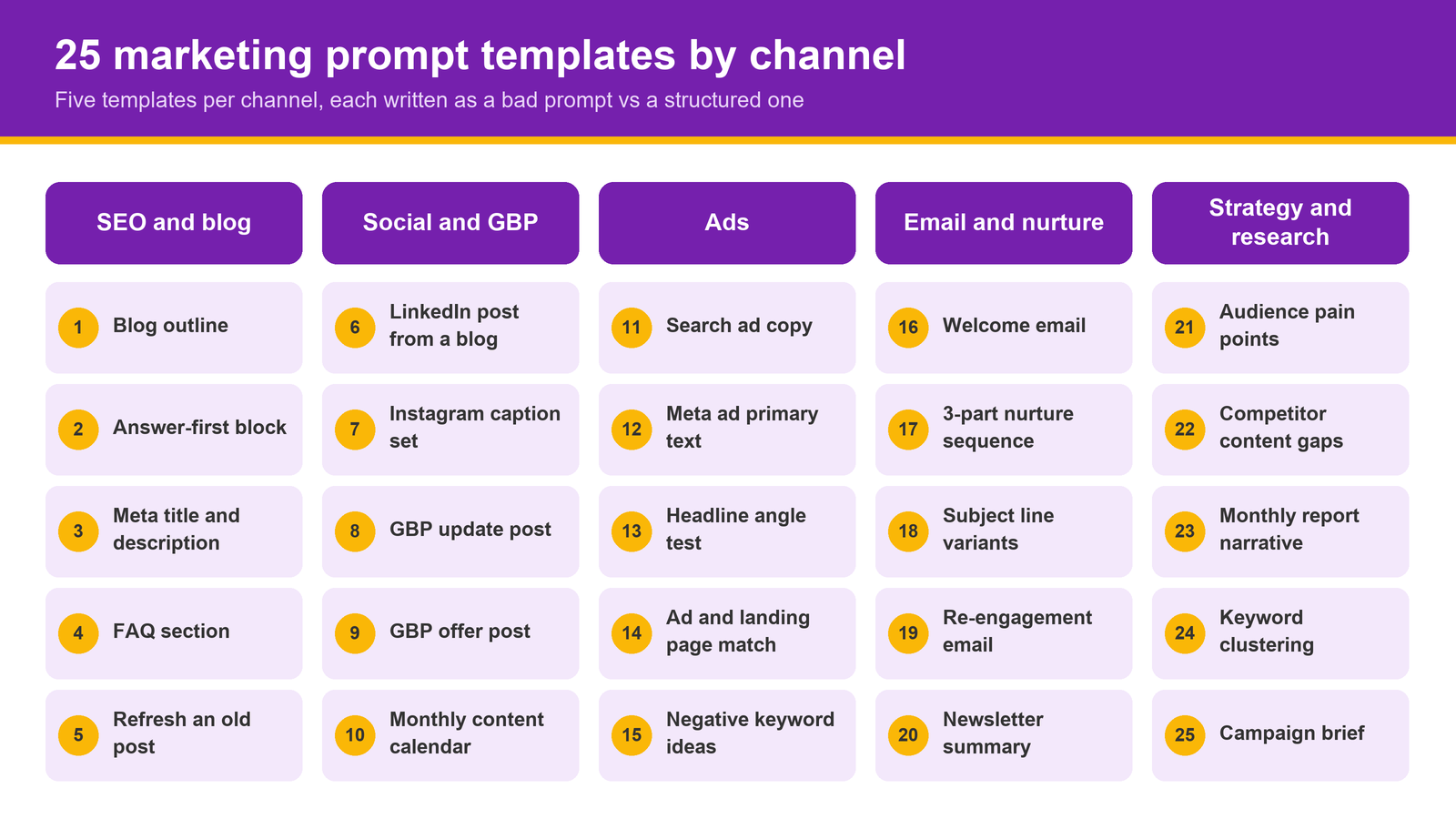
Templates for email and nurture (16 to 20)
16. Welcome email
- Bad: "Write a welcome email."
- Good:
Write a welcome email from [business] to people who just [action, e.g. downloaded the guide]. 120 words, one link to [next step], plain text style, subject line under 45 characters plus 2 alternatives.
17. Three-part nurture sequence
- Bad: "Make an email sequence."
- Good:
Write a 3-email nurture sequence for leads who enquired about [service] but did not book. Email 1 on day 1 answers the top objection: [objection]. Email 2 on day 4 shares [proof you have]. Email 3 on day 8 makes a simple ask. Under 150 words each, with subject lines.
If you want those email sequences built from prompts to trigger automatically, that is what the email automation module is for.
18. Subject line variants
- Bad: "Give me subject lines."
- Good:
Here is the email body: [paste]. Write 8 subject lines under 45 characters: 2 curiosity, 2 direct benefit, 2 question, 2 using the reader's city [city]. No all caps, no "free", no exclamation marks.
19. Re-engagement email
- Bad: "Email old customers."
- Good:
Write a short email to customers who have not purchased in [months]. Mention what changed since then: [list]. Offer [offer, if any] and one easy reply option. Under 100 words, warm but not pushy.
20. Newsletter summary
- Bad: "Summarise our blogs for a newsletter."
- Good:
Here are this month's 4 posts: [paste titles and intros]. Write a newsletter with a 50-word opening, then a 2-sentence summary and link line per post. Close with one question readers can reply to.
Templates for strategy and research (21 to 25)
21. Audience pain points
- Bad: "Who is my audience?"
- Good:
From these 20 reviews and 10 enquiry emails [paste], list the 8 most common problems customers describe in their own words. Quote the phrase, count how often it appears, and suggest one content idea per problem.
22. Competitor content gaps
- Bad: "Analyse my competitors."
- Good:
Here are the H2 headings from 3 ranking pages for "[keyword]": [paste]. List topics all three cover, topics only one covers, and questions none of them answer. Suggest an angle for [business] that none of them use.
23. Monthly report narrative
- Bad: "Explain my marketing report."
- Good:
You are a marketing manager writing for a business owner with no marketing background. Here are this month's numbers: [paste table]. Write 5 bullet points: what went up, what went down, the likely reason, what we will do next, and one question for the owner.
For reports that combine search rankings with AI answer visibility, our post on tracking AI visibility alongside rankings has a template.
24. Keyword clustering
- Bad: "Group these keywords."
- Good:
Group these keywords [paste list] into clusters by search intent. Name each cluster, choose one primary keyword per cluster, and say whether it suits a service page, blog post or FAQ. Return a table.
25. Campaign brief
- Bad: "Plan a campaign."
- Good:
You are a strategist for [business] in [India/UAE city]. Goal: [goal] in [timeframe] with a budget of [INR/AED amount]. Draft a one-page brief: audience, key message, 3 channels with reasons, 3 content pieces, how we measure it. Flag any assumption you make.
Once a template gives you a solid outline, you can turn prompts into full drafts with an editor's review built in, rather than copying text between tools.
How should you check AI output before you publish?
Google's Search Central guidance on using generative AI content is direct about this: generative models predict likely words rather than retrieve facts, so you should fact-check and review AI content, including metadata like titles and alt text. Mass-producing pages that add little value can fall under Google's scaled content abuse policy.
For ads and offers in India, the ASCI Code applies to the claims you make whether a person or a model wrote them. UAE campaigns carry their own platform and regulatory rules, so treat AI copy as a draft until someone accountable has signed it off.
A simple pre-publish check covers most problems:
- Every number has a named source you have opened yourself.
- No prices, guarantees or results that the business has not confirmed.
- Location names, service names and spellings match your website and Google Business Profile.
- The copy sounds like your brand, not like the model's default voice.
- Links work and point to the right pages.
If you are still deciding which tools deserve a place in this workflow at all, read our guide on choosing AI tools that pay off.
Conclusion
A better prompt is mostly a better brief: who is writing, for whom, within which limits, in what shape and in what tone. Any online prompt generator can give you a starting line, but the 25 templates above work because they carry your context, your constraints and your format every time. Save the ones you use, refine them after each campaign, and keep a human check before anything goes live.
If you want this built into a repeatable team process, see how the AI prompt creation workflow for marketing teams turns a goal and brand context into structured prompts, or ask our team for a walkthrough on your own campaigns.
Share on Social Media
Frequently Asked Questions
What is an AI prompt generator?

Is a prompt AI generator better than writing prompts myself?
How long should a marketing prompt be?
Can I use these templates with ChatGPT, Gemini or Claude?
Will Google penalise AI-written blog posts?
How do I stop AI copy from sounding generic?
Should prompts be different for India and UAE audiences?